

Quality assurance in software development is all about a proactive, soup-to-nuts process for preventing defects. The goal is to make sure your software hits specific standards across its entire lifecycle. It’s not just a bug hunt—it’s about baking quality into the product from day one. What Quality Assurance in Software Development Really Means It's a […]

Quality assurance in software development is all about a proactive, soup-to-nuts process for preventing defects. The goal is to make sure your software hits specific standards across its entire lifecycle. It’s not just a bug hunt—it’s about baking quality into the product from day one.
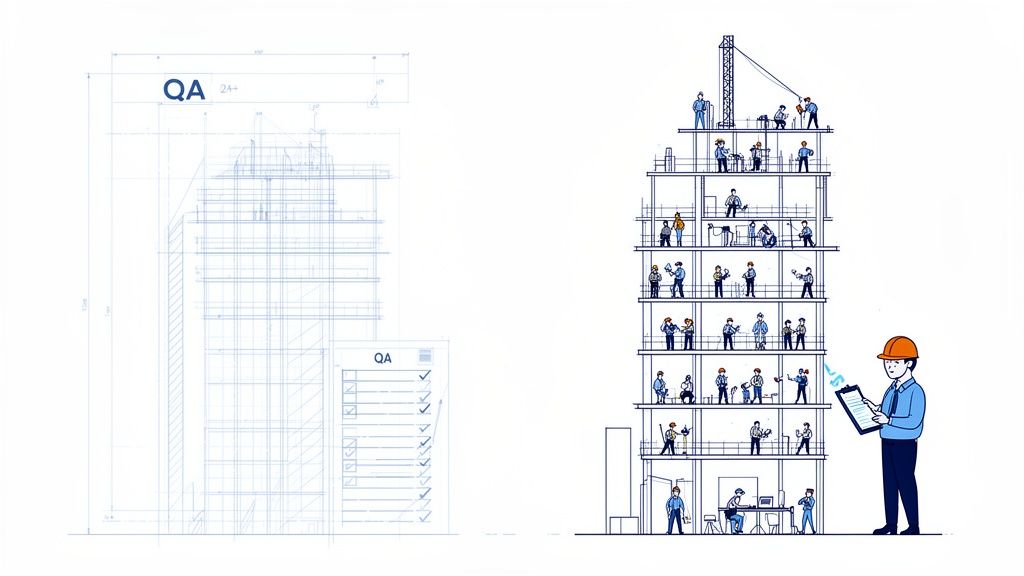
It's a common mistake to see quality assurance (QA) as the final checkpoint before shipping the code. That’s a fundamentally flawed view. Real QA is the master plan for excellence, something you weave into every single stage of development.
Think of it like building a skyscraper. QA isn't the final inspector who shows up at the end to look for cracks. Instead, it's the architectural blueprint, the strict building codes, and the ongoing oversight that confirms every floor is solid before the next one gets built. The main goal here is to prevent defects, not just to find them after the fact.
A solid, proactive QA strategy makes sure the final product stands firmly on three critical pillars:
When you embed these principles from the start, your team can finally break free from the reactive "break-fix" cycle and build a culture of genuine improvement. And it doesn't stop there; ongoing Quality Assurance process improvement is crucial for keeping that momentum going.
At the end of the day, quality is on everyone's shoulders—it’s not a job you can just silo off to a QA team. When developers, designers, and project managers all have a hand in the quality process, it becomes part of the team's DNA.
Quality assurance transforms the development process from a linear assembly line into a collaborative workshop where quality is everyone's top priority. It's the system that empowers teams to build great software with confidence.
This sense of collective ownership ensures that every decision, from the first sketch of a feature to the final push to production, is made with quality as a guiding principle. This holistic approach is what separates good software from exceptional, user-loved products, ultimately protecting your company’s reputation and driving customer satisfaction.
In the software world, it’s easy to hear people use "Quality Assurance," "Quality Control," and "Testing" as if they all mean the same thing. They're definitely related, but mixing them up causes real confusion. Knowing the difference is the first step toward building a team where everyone understands their part in shipping great software.
Think of Quality Assurance (QA) as the big picture. It’s a proactive strategy focused on the process. The whole point of QA is to design and implement systems that stop defects from ever happening. It’s not about finding bugs; it’s about creating an environment where fewer bugs are even possible.
Quality Control (QC), on the other hand, is a reactive check focused on the product. QC happens during and after development to inspect the actual software and catch any issues before they get to the user. It’s the act of making sure the finished product lines up with the standards that QA put in place.
And where does Testing fit in? It's a specific action that lives under the Quality Control umbrella. Testing is the hands-on work of running the software to find errors, bugs, or things that just don’t work as expected. It provides the data QC needs to give a thumbs-up or thumbs-down.
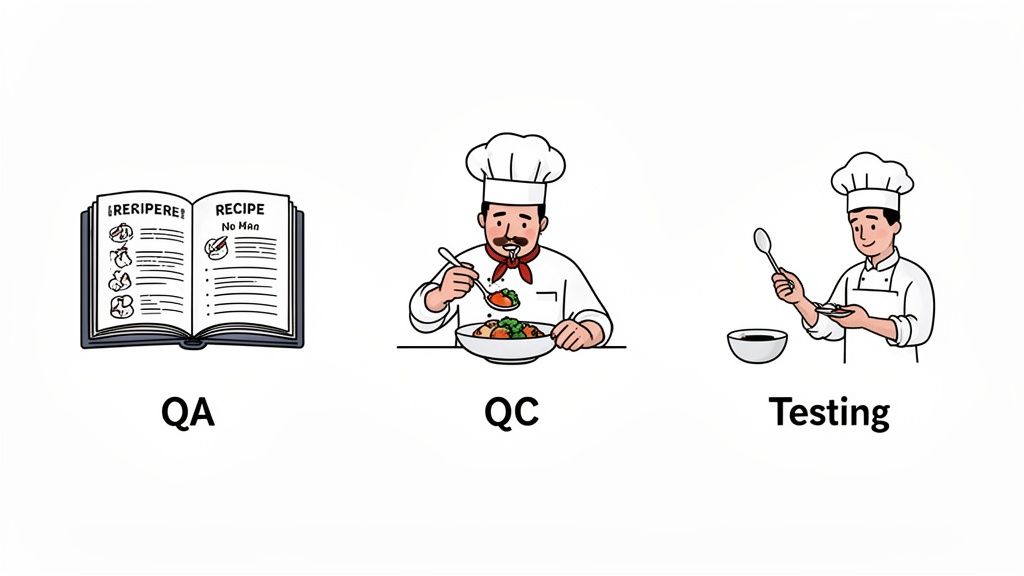
Let's put this in a different context. Imagine we're running a top-tier restaurant. The concepts map over perfectly.
This analogy shows the natural flow from proactive process design (QA) down to reactive product checks (QC), which are all informed by hands-on validation (Testing).
The core difference is simple: QA is about building the right thing, QC is about building it right, and Testing is about finding where it went wrong.
For a more direct look, this table breaks down the fundamental differences between the three disciplines. It's a handy reference to keep things straight.
| Attribute | Quality Assurance (QA) | Quality Control (QC) | Software Testing |
|---|---|---|---|
| Focus | Process-oriented | Product-oriented | Task-oriented |
| Goal | To prevent defects | To identify and fix defects | To find and report bugs |
| Nature | Proactive | Reactive | Executional |
| Timing | Throughout the entire SDLC | During and after development | During the testing phase |
| Example | Creating coding standards | Reviewing test results | Running a specific test case |
By getting these definitions right, teams can graduate from just hunting for bugs. They can start building a mature quality assurance in software development culture where prevention, verification, and validation all work together to create something truly exceptional.
Too many companies see quality assurance as just another expense—a final, costly checkpoint to clear before shipping a product. But what if I told you that thinking is completely backward? The smartest teams I've worked with know a secret: putting QA at the start of your development process is one of the single best ways to save money.
This isn't just a hunch; it's a whole philosophy called “Shift-Left.” Picture your development process as a timeline. On the far left, you have ideas and initial code. On the far right, you have the final product launch. "Shifting left" simply means moving all your quality-focused activities much earlier in that timeline. You stop hunting for bugs at the end and start building quality in from day one.
The logic here is rock-solid. When a developer catches a small bug while they’re still coding, fixing it is trivial. A few minutes, a couple of keystrokes, and it’s done. The cost is practically zero.
But let that same bug slip past the developer and get caught by a dedicated QA tester. Now things get more expensive. The tester has to find the bug, write up a detailed report, and send it back. The developer has to stop what they're doing, switch gears, re-read the old code, and then push a new version for re-testing. You've just burned hours, if not days.
The real disaster strikes when a bug makes it all the way to a customer. Now, the cost explodes. You’re looking at:
This isn't just theory; the data is crystal clear. Research into software development costs shows a staggering increase in the price of fixing a bug the later you find it. A defect caught during the design or coding phase might cost $100 to $1,000 to fix. If that exact same defect is found in production by a user, the cost can skyrocket to $10,000 to $100,000.
Organizations that get this right see incredible returns. By increasing their early-stage QA investment by just 20–40%, many slash their total annual costs for fixing bugs by 30–70%. The software testing and QA services market is full of data backing this up.
This proves that quality assurance isn't an expense. It's one of the highest-return investments you can make.
Investing in proactive QA is like performing regular maintenance on a car. It feels like a small cost now, but it prevents the catastrophic engine failure that would cost ten times more to fix down the road.
You can even measure this impact directly. By tracking metrics like your Defect Escape Rate (the percentage of bugs that slip into production), you get a hard number on how well your early QA is working. If you want to dive deeper into setting up these measurements, check out our guide on KPIs for software development. This kind of data helps you make the case internally for a proactive quality strategy, turning QA from a bottleneck into a serious competitive advantage.
A solid QA strategy isn't a one-and-done activity; it’s a mix of different testing methods that work in harmony. To build a truly effective plan, your team needs to know which type of test to use and when. I like to think of it as a testing pyramid—some tests form a broad, stable foundation, while others are more specialized and sit at the top.
The big reason for all this? Catching bugs early saves a massive amount of time and money. The further a bug travels down the development pipeline, the more expensive it becomes to fix.
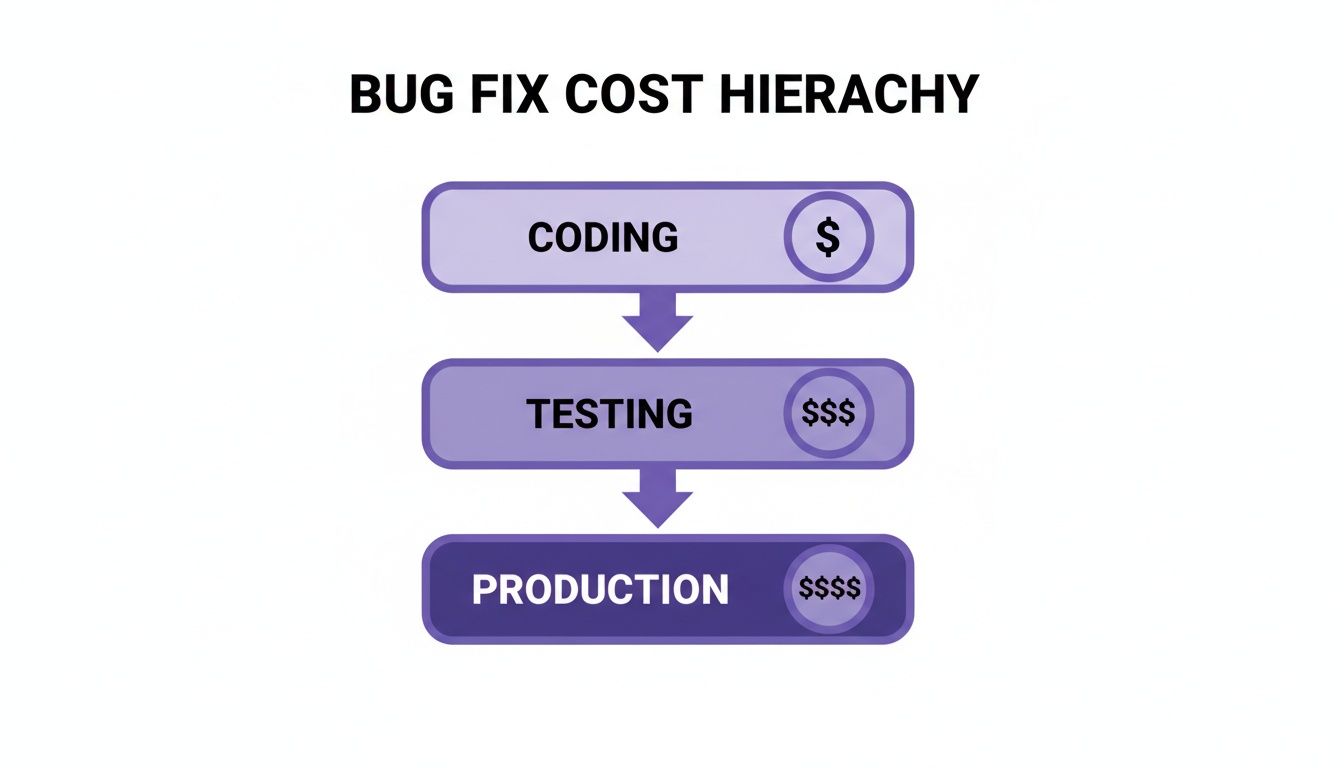
As you can see, a bug that makes it to production can cost exponentially more to fix than one caught by a developer right after writing the code. This makes a strong, multi-layered testing approach an absolute must.
At the very foundation of your testing strategy are unit tests. These are small, hyper-focused, and automated tests written by developers. Their sole purpose is to verify that a single, isolated piece of code—like a function or a method—behaves exactly as expected.
Think about a simple function that validates a user's password. It needs to check for minimum length, a number, and a special character. A unit test would feed this function all sorts of passwords, both good and bad, to make sure it returns the correct true/false result every single time, without fail.
Because they're small and isolated, these tests are incredibly fast and cheap to run. They form the bedrock of a stable codebase by catching issues at the most granular level, allowing developers to fix them on the spot.
Once you've confirmed that the individual building blocks work on their own, the next step is to see if they work together. This is where integration tests come in. They focus on the interactions and data flows between different components or services in your application.
Let's stick with the user signup example. After a new user registers, your app might need to do two things:
An integration test would verify this entire handshake. It makes sure the user registration module correctly talks to the database, and that the database, in turn, successfully triggers the email service. If you're looking to dig deeper into how these tests differ, this guide on functional testing versus unit testing offers some great insights.
Sitting at the peak of the testing pyramid are End-to-End (E2E) tests. These are the most comprehensive tests you can run, as they simulate a real user's workflow from start to finish within the fully assembled, running application.
For an e-commerce platform, a classic E2E test would automate the entire customer journey:
These tests are naturally slower and more brittle than unit or integration tests, but they are invaluable. They are the ultimate check to ensure the entire system hangs together to deliver the actual business outcome a user expects.
A truly effective quality assurance strategy relies on a balanced testing pyramid: a wide base of fast unit tests, a healthy middle layer of integration tests, and just a few critical end-to-end tests at the very top.
The tests we've covered so far confirm that the software's features work correctly. But non-functional testing asks a different set of questions to ensure the software works well—a crucial factor for user satisfaction and system stability.
By mastering this blend of functional and non-functional tests, your team can build a QA framework that defends your product from every angle—from a single line of code all the way to the complete user experience.
In a world where speed is everything, manual QA processes can feel like an anchor dragging down your development cycle. Top-performing teams know this. They aren't just working harder; they're working smarter by building automation and even artificial intelligence (AI) directly into their day-to-day workflows.
The goal here isn't to replace sharp, experienced QA engineers. It’s to augment them. Let machines handle the monotonous, repetitive tasks so your human testers can focus on what they do best: creative problem-solving and critical thinking. A great automation strategy turns QA professionals from manual checkers into strategic quality guardians.
The first rule of automation is knowing what to automate—and what to leave for human eyes. Trying to automate everything is a recipe for wasted time and frustration. The real win comes from targeting the tasks that deliver the biggest return on your automation investment.
Here’s where automation really shines:
On the other hand, some things just need a human touch:
A successful automation strategy is a partnership between human and machine. Automation provides the speed and scale for repetitive checks, while human testers provide the critical thinking and user empathy that no script can replicate.
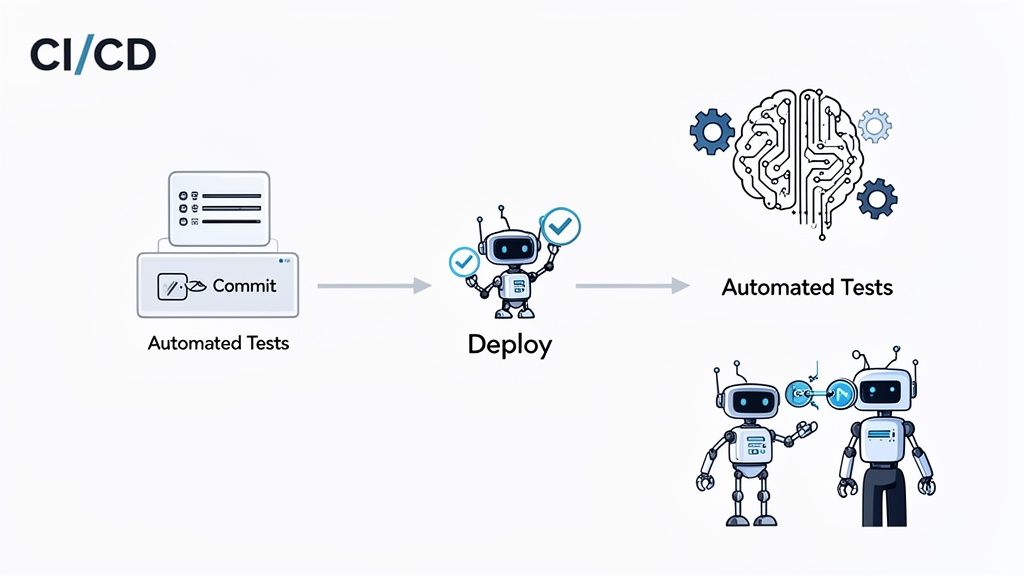
Automation truly comes alive when it's plugged directly into a Continuous Integration/Continuous Deployment (CI/CD) pipeline. This approach automates the entire journey from code commit to production release, using automated tests as quality gates at every single stage.
When a developer pushes new code, the CI/CD pipeline instantly springs into action, running a series of builds and tests. If a unit or integration test fails, the build is immediately rejected, and the developer gets instant feedback. This tight feedback loop stops bugs from ever getting merged into the main codebase. This process is closely tied to strong code review best practices, which helps catch issues even before the automated tests run.
Now, artificial intelligence is adding another powerful layer to the QA toolkit. AI-powered tools are evolving beyond simply running pre-written scripts and are starting to tackle more complex QA challenges.
For example, some AI tools can generate their own test cases just by analyzing your application's requirements or observing user behavior. Others use visual AI to scan an app’s interface and spot subtle layout bugs—like misaligned buttons or overlapping text—that are easy for a human to miss.
The impact is already clear. By 2024–2025, about 44% of IT organizations had automated 50% or more of their testing. The trend toward AI-driven QA is only accelerating, with many expecting three-quarters of their engineers to be using AI-enabled testing tools by 2028. By embracing these technologies, teams aren't just keeping up; they're setting a new standard for quality and efficiency.
Great software isn't just about writing clean code—it's about building a team that lives and breathes quality. But a modern QA team isn't a one-size-fits-all department. How you structure it really comes down to your company's culture, the complexity of your projects, and the way your developers work.
The structure you choose sends a powerful message. Is quality a final checkpoint before release, or is it a shared responsibility baked into every step of your development process?
Two main models have taken shape over the years, and each comes with its own set of trade-offs. The traditional route is the dedicated QA team, a separate, centralized group of testers. This model is great for building deep testing expertise and getting an unbiased, third-party view of whether a product is ready for launch. The downside? It can sometimes create an "us vs. them" vibe and lead to bottlenecks right before a deadline.
The more modern approach is the embedded QA model, where QA engineers are placed directly into development squads. In this world, QA pros work side-by-side with developers and product managers from the very beginning. This setup makes collaboration a breeze, shortens feedback loops, and genuinely "shifts quality left" by making it everyone's job, not just the tester's.
The most effective quality assurance in software development integrates QA professionals as strategic partners, not as isolated bug hunters. Their role is to empower developers with the tools and insights to build quality in from the start.
Putting together a powerhouse QA team means finding people with specific, complementary skills. The job titles might differ from company to company, but these core roles are the foundation of any solid quality practice:
QA Analyst: This is your manual and exploratory testing expert. QA Analysts are obsessed with details, writing test plans, running through test cases, and carefully documenting every bug they find. They are the true voice of your user, making sure the product is easy to use and does what it promises.
QA Automation Engineer: Think of these folks as developers who focus on testing. They're the ones building and maintaining the automated test frameworks that handle everything from regression tests to performance checks inside your CI/CD pipeline. Their work is what allows your team to test more code, more often, than any manual effort ever could.
Software Development Engineer in Test (SDET): The SDET is a true hybrid, combining serious development chops with a tester's mindset. They don't just write test scripts; they often contribute to the application's code, build custom testing tools, and weigh in on architectural decisions to make the whole system easier to test.
While technical know-how is non-negotiable, the absolute best QA professionals have a set of soft skills that turn them from testers into genuine quality champions. When you're hiring, keep an eye out for candidates who have:
Critical Thinking: You need people who can look at a new feature from every possible angle, dream up weird edge cases, and think like a user who is actively trying to break things.
Strong Communication: A QA engineer has to be able to explain a complicated bug to a developer without causing friction and make a compelling case for quality priorities to a product manager.
User Empathy: Look for a real passion for understanding the end-user. The goal isn't just to ship a functional product, but one that people will actually enjoy using.
Knowing how these roles interact with the rest of your team is a huge part of building a successful process. For a closer look at how quality professionals fit into the bigger picture, check out our guide on the essential roles in agile software development. By hiring for both technical skill and these crucial soft skills, you’ll build a team that makes quality a core part of your company's DNA.
As teams start to get serious about building a quality assurance strategy, a few practical questions almost always pop up. Getting straight answers to these is key to moving from theory to practice and making proactive quality a reality.
Let's break down some of the most common questions we hear when teams implement QA in their software development process.
Everyone wants a magic number, but the honest answer is: it depends. That said, a good rule of thumb in the industry is somewhere between 1 QA engineer for every 3 to 8 developers.
Where your team lands in that range comes down to a few things:
For projects that are still heavy on manual and exploratory testing, a ratio around 1:3 is a safer bet to ensure you get the coverage you need without creating a massive testing bottleneck.
Easy one: Day one. This isn't just a nice idea; it's the entire point of the "Shift-Left" approach we talked about earlier. Bringing QA into the loop right from the start is the single best way to prevent defects, which is always cheaper and faster than finding and fixing them later.
Think about it: In the requirements phase, a QA mindset can poke holes in ambiguous specs. During design, they can spot potential usability nightmares before a single line of code is written. Starting early turns QA from a bug-finding cost into a value-creating partner.
Developers are absolutely the first line of defense, and they should own things like unit and integration testing. But relying on them for all testing means you’re missing a crucial piece of the puzzle. It’s a partnership, not an either/or situation.
A dedicated QA professional brings a completely different perspective. They are trained to think like a user—and users do weird, unpredictable things. They focus on the holistic experience, not just whether a function returns the correct value. This provides an unbiased check on quality and ensures a cohesive testing strategy is actually in place, letting developers get back to what they do best: building great features.
They aren't just bug hunters; they are the voice of your user.
You're probably in one of two situations right now. You need to hire a Scrum Master fast because delivery feels messy, or you've already interviewed a few and every candidate sounds polished, certified, and strangely interchangeable. They know the terms. They can define artifacts and ceremonies. But you still can't tell who can steady a […]

Most advice on API vs REST API starts with definitions and stops there. That's too shallow for a real project. The decision affects delivery speed, integration risk, documentation load, support burden, and even who you need to hire to keep the system stable after launch. The common mistake is treating “API” and “REST API” like […]

You're probably in one of two situations right now. You need to hire a Java developer because a core system is growing faster than your team can support, or you inherited a Java codebase and need someone who can stop the bleeding without making the architecture worse. Both situations punish vague hiring. A generic “Java […]


