

At its core, software development capacity planning is about getting real about what your engineering team can actually accomplish. It’s the process of matching the work you need to do with the people you have to do it. This means looking ahead at project demands and measuring your team's true output so you have the […]

At its core, software development capacity planning is about getting real about what your engineering team can actually accomplish. It’s the process of matching the work you need to do with the people you have to do it. This means looking ahead at project demands and measuring your team's true output so you have the right talent ready at the right time.
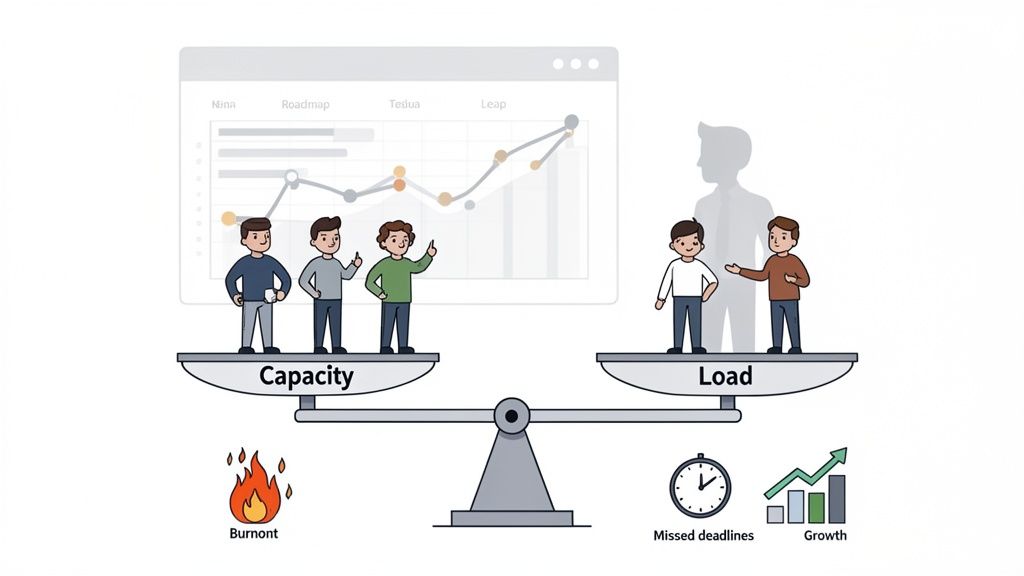
Let's be honest. Capacity planning isn't just about filling out spreadsheets. It's the foundation for building a predictable, high-performing engineering organization. Too many teams are stuck in a constant state of "firefighting," lurching from one urgent task to the next without any real sense of their bandwidth. This reactive chaos is a one-way ticket to developer burnout, missed deadlines, and blown budgets.
This whole problem usually boils down to a mix-up between two simple ideas: capacity and load.
When the load constantly outstrips capacity, things start to break. A solid capacity plan closes that gap, turning wishful thinking into a strategy backed by actual data. It gives you the clear-eyed view needed to align leadership’s big ambitions with your team's on-the-ground reality.
Without a plan, every new project request is a painful negotiation based on gut feelings. "Can we squeeze in one more 'small' feature this quarter?" The answer is usually a stressed-out "maybe," which inevitably leads to late nights and rushed, shoddy work.
A structured approach completely changes that conversation. Instead of guessing, you can answer critical business questions with confidence:
This is the kind of foresight that separates companies that scale smoothly from those stuck in a cycle of overpromising and under-delivering. It lets you make smart, informed calls about hiring, project priorities, and timelines.
This also brings your approach to scaling into the modern era. For a broader look at how these ideas apply across an organization, it’s worth exploring the principles of workforce capacity planning. By thinking about options like augmenting your team with global talent from the start, you build a more flexible and powerful capacity model. Planning stops being a defensive chore and becomes a real competitive advantage.
You can't plan what you don't measure. Effective software development capacity planning runs on data, not gut feelings. Before you can build a reliable forecast, you have to get your hands dirty and start gathering the metrics that actually paint a true picture of your team's capabilities.
This isn't about chasing vanity metrics. It’s about creating an honest, data-driven view of your team's real output versus the actual demands on their time. Without this solid ground to stand on, any plan you make is just wishful thinking.
The industry is finally catching on. Capacity planning has become the top priority for 27% of software development professionals for a good reason. A staggering 70% of projects stumble or fail, often because of poor resource allocation rooted in a lack of historical data.
The first and most fundamental piece of data you need is team velocity. This is simply the average amount of work your team can get done in a single sprint, usually measured in story points. Think of it as the core pulse of your team's productivity.
To get this number, just average out the total story points your team completed over the last three to five sprints. For example, if your team knocked out 25, 30, and 28 points in their last three sprints, your average velocity is 27.6 points. This becomes your baseline, the starting point for predicting what they can realistically tackle next.
But remember, velocity is just one part of the story. It tells you what your team accomplished, but for smart planning, you also need to understand the "why" behind that number.
With your velocity in hand, the next step is to look at your product roadmap and translate those big ideas into the same unit of measurement. If your team operates on story points, then every single feature, initiative, and epic on that roadmap needs a story point estimate.
This is a collaborative effort. Product managers and engineering leads need to sit down together and break down those large, intimidating epics into smaller, more manageable user stories that the team can actually estimate. The goal isn't to achieve perfection with every single number; it's about building a reasonably accurate forecast of the total effort required.
Key Takeaway: The whole point is to convert high-level business goals into a quantifiable backlog. This allows you to hold your roadmap (the demand) right up against your team's velocity (the capacity) and instantly see where the gaps and challenges lie.
For a deeper dive into the metrics that drive high-performing engineering teams, check out our guide on essential KPIs for software development. Getting a handle on these indicators is crucial for building a truly robust data foundation.
One of the most common traps I see teams fall into is planning their capacity based only on new feature development. This completely ignores the huge amount of "hidden work" that quietly eats up a team's time and energy every single week.
This non-feature work isn't optional; it's the cost of doing business and keeping the lights on. It includes things like:
To build a solid data foundation for your forecasts, it's essential to understand the various data collection methods that can help you capture these often-overlooked metrics.
Start tracking this time religiously. You’ll likely discover that a consistent 20-30% of your team's capacity is dedicated to these tasks. Ignoring this reality is a surefire recipe for blown deadlines, inaccurate plans, and frustrated, burnt-out developers. By logging this work, you create an honest and complete picture of where your team's time truly goes, which is the key to building a realistic and sustainable capacity plan.
To bring this all together, here's a quick look at the core data points you need to be tracking.
This table summarizes the key metrics to collect for effective software development capacity planning, including what they measure and why they are important.
| Metric | What It Measures | Why It's Critical | Collection Tool/Method |
|---|---|---|---|
| Team Velocity | The average amount of work (story points) a team completes per sprint. | Provides a baseline for future sprint capacity and predictability. | Jira, Azure DevOps, or other project management tools. |
| Effort Estimates | The estimated size (story points) for all backlog items, including epics and features. | Translates business goals (demand) into a quantifiable unit to match against capacity. | Estimation sessions (e.g., Planning Poker) with the development team. |
| Time on Bugs/Defects | The percentage of capacity spent on fixing bugs versus new feature work. | Reveals the cost of quality and helps allocate a realistic buffer for maintenance. | Time tracking features in Jira or dedicated time-logging tools. |
| Time on Meetings | The hours spent per sprint on non-coding activities like planning, stand-ups, and retros. | Accounts for necessary overhead, preventing over-commitment of development time. | Calendar analysis or team self-reporting. |
| Technical Debt | The time allocated to refactoring, system upgrades, and non-feature improvements. | Ensures long-term health of the codebase is factored into capacity planning. | Tagging specific tickets in your project management tool. |
By consistently gathering these data points, you move from reactive planning to proactive forecasting, setting your team and your projects up for success.
With solid data in hand, you're ready to build the model that brings clarity to your software development capacity planning. This is the critical step where raw numbers—velocity, effort estimates, and all that hidden work—get translated into a forecast you can actually rely on. It’s how you move from guessing to knowing.
The most common starting point is a simple spreadsheet. Don't knock it; for many teams, it’s the perfect tool to get started. It lets you visualize the fundamental balance between your capacity (what you can supply) and your roadmap (the demand). You can easily map out your team's available workdays, subtract planned time off, and apply your average velocity to see what you can realistically commit to.
This initial model immediately starts answering the tough questions. Let's say a project needs 200 story points, and your team’s adjusted capacity supports 50 points per sprint. Boom. You now have a data-backed, four-sprint timeline. This simple math shifts conversations with stakeholders away from a subjective "it feels like it will take a while" to a concrete "we project this will be delivered in eight weeks."
The process for gathering the data to fuel this model is really a three-part system.
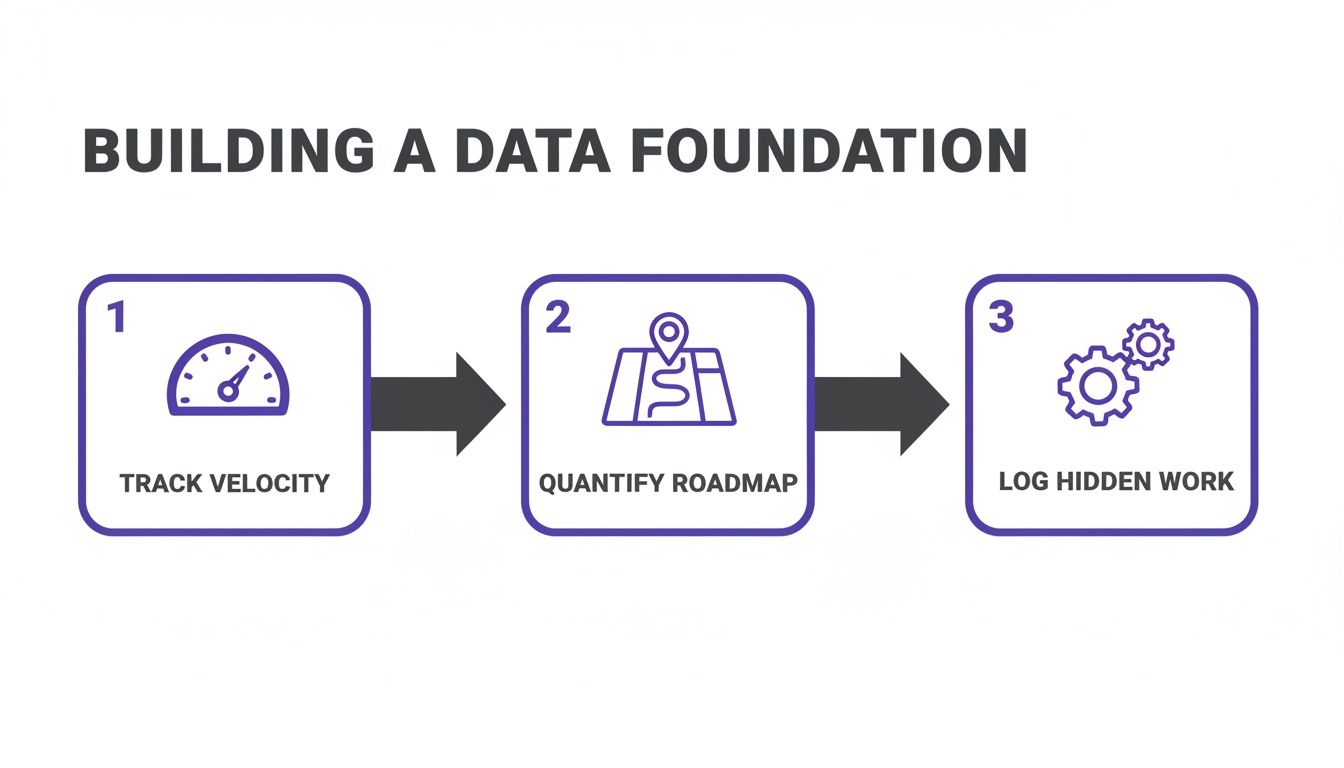
Tracking velocity, quantifying the roadmap, and logging that hidden work are the foundational pillars you need for an accurate capacity model.
A simple spreadsheet model is a great start, but we all know reality is messy. To create a plan that can withstand the real world, your model needs to account for the variables that love to derail projects. This is where we layer in the nuance.
Start by baking in buffers for unpredictability. No team can, or should, run at 100% utilization. A healthy buffer of 15-20% is essential for handling unexpected technical debt, urgent bug fixes, or those small but inevitable pivots in project scope.
Your model also has to reflect real-world personnel changes:
By building these real-world constraints directly into your model, you create a plan that is not only accurate but also sustainable. It prevents team burnout by setting realistic expectations and builds trust with stakeholders by consistently delivering on your forecasts.
Spreadsheets are fantastic until they aren’t. You'll eventually hit a point where managing multiple teams, complex project dependencies, and shifting timelines becomes a full-time job. Manually updating a dozen interconnected sheets isn't just a time sink—it's an invitation for human error.
That’s your cue to explore dedicated capacity planning software. Tools like Jira Align or Forecast are built to handle the complexity that makes spreadsheets buckle. They offer real-time visibility, integrate directly with your project management systems, and automate the calculations you’ve been doing by hand.
When you start evaluating software, look for features that solve the specific pains you're feeling:
Of course, presenting this data effectively is just as important as gathering it. For deeper insights, it's worth exploring some fundamental data visualization best practices to make sure your dashboards tell a clear story. Moving from a static spreadsheet to a dynamic software platform is a major step in maturing your capacity planning, setting you up for more strategic, data-driven decisions at scale.
So you've built your capacity model, and it's telling you what you probably already suspected: there’s a gap between what your team can deliver and what the business needs. Don't panic. This isn't a failure—it’s the whole reason we do this planning in the first place. Now you can stop scrambling and start making smart, strategic moves to scale your team.
The default path is usually to post a job opening and start the long, expensive dance of hiring a full-time employee. But that process is notoriously slow and rigid. It can take months to fill a key role, and all the while, your project deadlines are slipping. When speed is everything, you need better, more flexible options.
This is where the real art of software development capacity planning comes in. Instead of just defaulting to another permanent hire, you get to dissect the nature of your capacity gap. Is this a temporary surge for a single project? Or is it a permanent need for a new skill set that’s missing from the team? The answer dictates your next move.
When demand races ahead of your team's capacity, you have a few core choices. Each one comes with its own trade-offs in speed, cost, and long-term commitment. Thinking through these options ahead of time keeps you from making a permanent hiring decision for what might just be a temporary problem.
Your main scaling levers are:
The goal is to build a flexible workforce strategy. By combining a core in-house team with a bench of on-demand global talent, you can scale up or down in response to business needs without the friction and high cost of traditional hiring cycles.
This kind of flexible model is quickly becoming a necessity. The industry is changing fast. Low-code platforms are set to power 70% of new applications as 84% of companies adopt them to ship faster. Even so, forecasting is still a huge problem—two-thirds of teams still struggle to align with demand. As you can see from a complete software development cost breakdown in 2025, old-school planning with spreadsheets just doesn't work for teams bigger than five people, making agile scaling strategies more critical than ever.
When it comes to filling capacity gaps, the choice between traditional hiring and using a global talent platform can have a huge impact on your project's timeline and budget. Each has its place, but understanding the differences is key to making the right call.
| Factor | Traditional In-House Hiring | Using HireDevelopers.com |
|---|---|---|
| Hiring Speed | 2-4 months on average | 1-2 weeks to find and onboard |
| Talent Pool | Limited to local market | Access to top global talent |
| Cost & Overhead | High (salary, benefits, taxes, equipment) | Lower (no benefits, taxes, or overhead) |
| Flexibility | Low (long-term commitment) | High (scale up or down as needed) |
| Vetting Process | You handle screening, interviews, and tests | We handle rigorous vetting for you |
| Management | Full HR and management responsibilities | We manage contracts and payroll |
Ultimately, a global talent platform like HireDevelopers.com offers a faster, more flexible, and often more cost-effective way to get the specific skills you need, exactly when you need them.
Alright, let's get out of the clouds and into the real world. Imagine your capacity plan shows you're 30% short on backend engineers for a critical six-month project. What's the play?
Instead of jumping to open a full-time role, you could augment your team. This is where on-demand talent really shines. You can bring in a pre-vetted specialist with the exact Java and AWS skills you need. They integrate with your team for the project's duration and then roll off when it’s done. You get the precise capacity you need, right when you need it, without the long-term overhead. To get a better handle on this approach, you can learn more about what staff augmentation services are and how they create this kind of flexibility.
Here’s another classic situation: your roadmap includes a brand-new product vertical, but your core team is already maxed out just maintaining the flagship product. This is a perfect time to build a dedicated offshore team. A talent platform can help you assemble a complete, self-sufficient squad—developers, QA, the whole nine yards—to own that new vertical. This lets you chase new opportunities in parallel without derailing your existing team's focus, turning your roadmap into a powerful engine for growth.
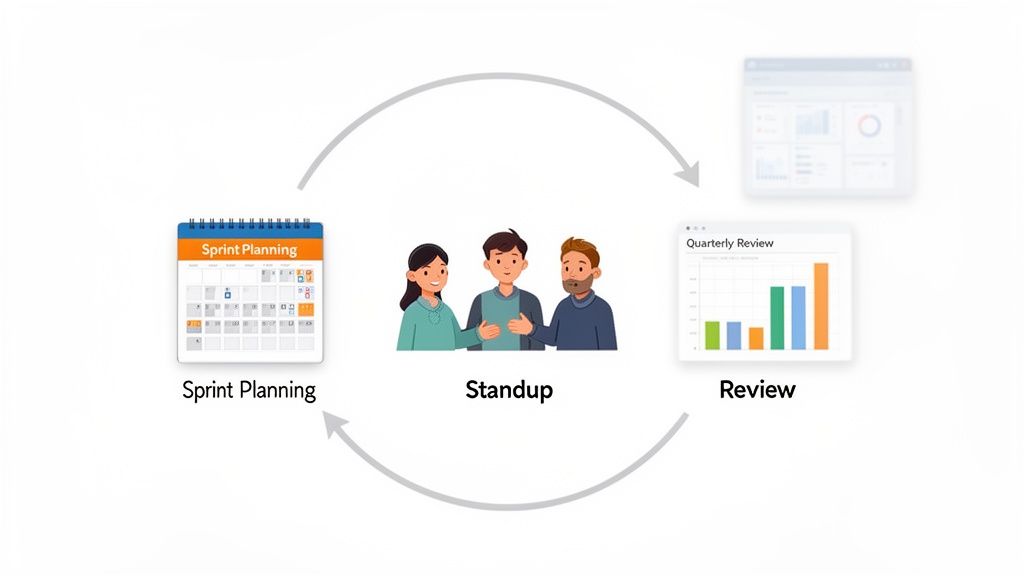
Here's a hard truth: software development capacity planning isn't a "set it and forget it" activity. A plan that just sits in a folder is worthless. For it to be effective, it has to be a living, breathing part of your team's everyday routine.
This means weaving capacity conversations directly into your existing agile ceremonies, from daily stand-ups to quarterly business reviews. This continuous loop is the secret sauce that separates plans that actually work from those that fall apart after the first surprise. By building in regular checkpoints, you create a feedback mechanism where real-world data constantly sharpens your forecast.
Without this, you get a huge disconnect. Research shows 53% of leaders are pushing for more productivity, while 80% of their employees feel they're already at their breaking point. That gap gets even wider when teams are fighting outdated systems that obscure who's working on what. You can dig into this data more in this report on capacity planning statistics and trends.
To make planning part of your DNA, you need a predictable rhythm. Different conversations need to happen at different altitudes, ensuring you’re adjusting both the tiny tactical details and the big strategic picture.
You can't have a productive conversation about capacity if nobody can see it. A simple, visual dashboard is your best friend here. The goal isn't to build something overly complex; it's to make the most critical data impossible to ignore.
A good capacity dashboard should answer a few key questions instantly:
My Takeaway: A dashboard's true purpose is to trigger the right conversation. When a product manager sees that the team is already maxed out, their question changes from "Can you squeeze this in?" to "What can we trade off to make this happen?" That's a game-changer.
By building these communication habits and visual tools into your workflow, you stop treating capacity planning as a stressful, one-off project. Instead, it becomes a continuous, collaborative process of steering the ship together. That’s how you build a resilient team that can handle whatever comes its way.
Even with the best intentions, a lot of teams hit the same predictable roadblocks when they first try to get a handle on software development capacity planning. If you can sidestep these common mistakes from the get-go, your whole process will be more realistic, sustainable, and frankly, more accurate.
One of the biggest blunders I see is planning for 100% utilization. It looks great on a spreadsheet—every hour accounted for, maximum efficiency! But in the real world, it's a fast track to burnout. Developers don't just write code all day. Their week is a mix of meetings, code reviews, impromptu brainstorming sessions, and yes, those urgent bug fixes that always seem to pop up.
When you book your team solid, you leave zero room for the unexpected. So when that inevitable production issue lands, a fully committed team has to drop everything. It causes chaos, torpedoes sprint goals, and leaves everyone feeling behind.
Another trap is overlooking all the "soft" factors that have a hard impact on your team's output. These are the human elements that don't fit neatly into a spreadsheet cell but can dramatically affect your velocity and team morale.
Think about the learning curve, for instance. If you're throwing a new framework or technology at the team for a project, their initial velocity is going to dip. It just is. Building in a temporary 20-30% reduction in expected output for the first few sprints is a smart, realistic adjustment.
My Takeaway: Real capacity planning is as much about people as it is about numbers. Building in a buffer for unplanned work—I usually recommend 15-20% of your total capacity—isn't a luxury. It's a critical investment in your team's health, the quality of their work, and your long-term predictability.
Team morale is another huge one. It's a powerful multiplier, even if you can't quantify it easily. A burnt-out, disengaged team will never hit its peak potential, no matter how perfectly you've planned their work. Great capacity planning accounts for these human variables. It creates a resilient system that can bend under real-world pressure without breaking.
Even the best-laid capacity plans run into real-world snags. Questions always come up, especially when you're getting a new process off the ground. Here are some quick answers to the most common ones I hear from engineering leaders.
Think of your capacity plan as a living document, not a "set it and forget it" spreadsheet. For the big picture, a full-blown strategic review should happen every quarter. This is your chance to sit down with product and business leaders to make sure your team's size and shape still align with the company's major goals.
But you also need to check in much more frequently on the ground. For agile teams, a quick review during every sprint planning is non-negotiable. It keeps your immediate commitments tethered to reality. You should also trigger an immediate review anytime something major happens—a key engineer leaves, or a "drop everything" project lands on your desk. The goal is a steady rhythm that keeps the plan relevant.
Let's get one thing straight: aiming for 100% utilization is the fastest way to burn out your team and watch quality nosedive. In my experience, a healthy, sustainable target for a software team is somewhere between 70% and 85%.
That 15-30% gap isn't waste. It's the essential breathing room your team needs for all the invisible work: fixing critical bugs, attending meetings, mentoring junior devs, and just thinking through tough problems. This buffer is what makes your team resilient and allows for consistent, high-quality output over the long haul.
When you're staring down a project full of unknowns—think R&D, a proof-of-concept, or exploring a brand-new technology stack—traditional estimation is a waste of time. Don't even try to pin down precise story points. Instead, your best bet is to focus on flow and containment.
Here’s how to approach it:
This strategy lets you embrace the ambiguity of innovation while still giving stakeholders a clear picture of what's going on. You make steady progress without letting one fuzzy project derail everything else.
Cloud computing stopped being a hosting decision a while ago. It's now a board-level question about speed, margin, resilience, and whether your team can ship AI-enabled products without turning infrastructure into a bottleneck. The striking part is the scale. Global public cloud spending is projected to exceed $830 billion in 2026, with the overall market […]

A hiring manager has 30 minutes, a resume full of Spring buzzwords, and one job opening that cannot afford a weak hire. A candidate has the same 30 minutes to prove they understand more than annotations and starter-project patterns. This context defines Spring MVC interviews. Strong interviews usually turn on practical judgment. Can the candidate […]

Payroll usually breaks before founders admit it has broken. At first, the system looks manageable. One spreadsheet tracks hours. Another tracks bonuses. Someone exports a bank file, someone else checks tax dates, and payroll goes out. Then headcount creeps up, one hire moves to another state, a contractor becomes an employee, and the process stops […]


