

A CI/CD pipeline is basically an automated assembly line for your software. It takes the fresh code a developer writes, then automatically builds, tests, and deploys it. The whole point is to help teams push out updates much faster and with a whole lot fewer headaches. Unlocking Modern Software Development Think about building a car […]

A CI/CD pipeline is basically an automated assembly line for your software. It takes the fresh code a developer writes, then automatically builds, tests, and deploys it. The whole point is to help teams push out updates much faster and with a whole lot fewer headaches.
Think about building a car from scratch, by hand. Every single part is crafted one-by-one, passed manually between mechanics, and put together in a slow, careful process. If someone makes one tiny mistake, the whole team might have to go back to square one. That’s pretty much what software development feels like without a CI/CD pipeline—a world of stressful late-night releases and bugs that pop up out of nowhere.
So, what is a CI/CD pipeline? It’s the automated factory floor that replaces that manual, error-prone process. Instead of developers babysitting each step, the pipeline handles the entire journey, from a line of code all the way to a live feature for your users.
This move from manual work to automation is more than just a tech upgrade; it fundamentally changes how teams work together. The two core ideas that make this possible are:
A CI/CD pipeline is the backbone of modern DevOps. It turns software delivery from a rare, high-risk ordeal into a reliable, routine part of doing business. It’s what powers speed, quality, and real innovation.
The difference this automation makes is huge. According to the DORA State of DevOps report, top-tier teams that have nailed CI/CD deploy code 208 times more frequently than low-performing teams. Even more impressive, they bounce back from failures 24 times faster, which shows just how resilient they are. You can find more data on how automation boosts performance by checking out these data pipeline efficiency statistics. This kind of workflow isn't just a nice-to-have anymore; it's essential for any company that wants to keep up and deliver value to its customers with speed and confidence.
A CI/CD pipeline takes the journey from a developer’s code commit to a live feature and turns it into a fully automated, predictable workflow. Think of it as an assembly line for your software, with a series of quality gates that code must pass before it can move on. This ensures only tested, reliable code ever makes it to your users.
The whole thing kicks into gear the moment a developer commits a change to the code repository. That simple "save" is the trigger that starts the entire automated process.
It all starts with the Source Stage. This is where the pipeline is just listening, waiting for a new code commit to appear in a version control system like Git. The moment it detects a change, it's go-time.
Next up is the Build Stage. The pipeline grabs all the source code, including the latest changes, and compiles it into a runnable application. If something is wrong—a syntax error, a missing dependency—the build will fail. The pipeline stops dead in its tracks and immediately tells the developer what went wrong. This fast feedback is crucial; it catches problems before they can impact the rest of the team.
The diagram below really shows the difference between the old, manual way of doing things and the smooth, automated flow of a CI/CD pipeline.
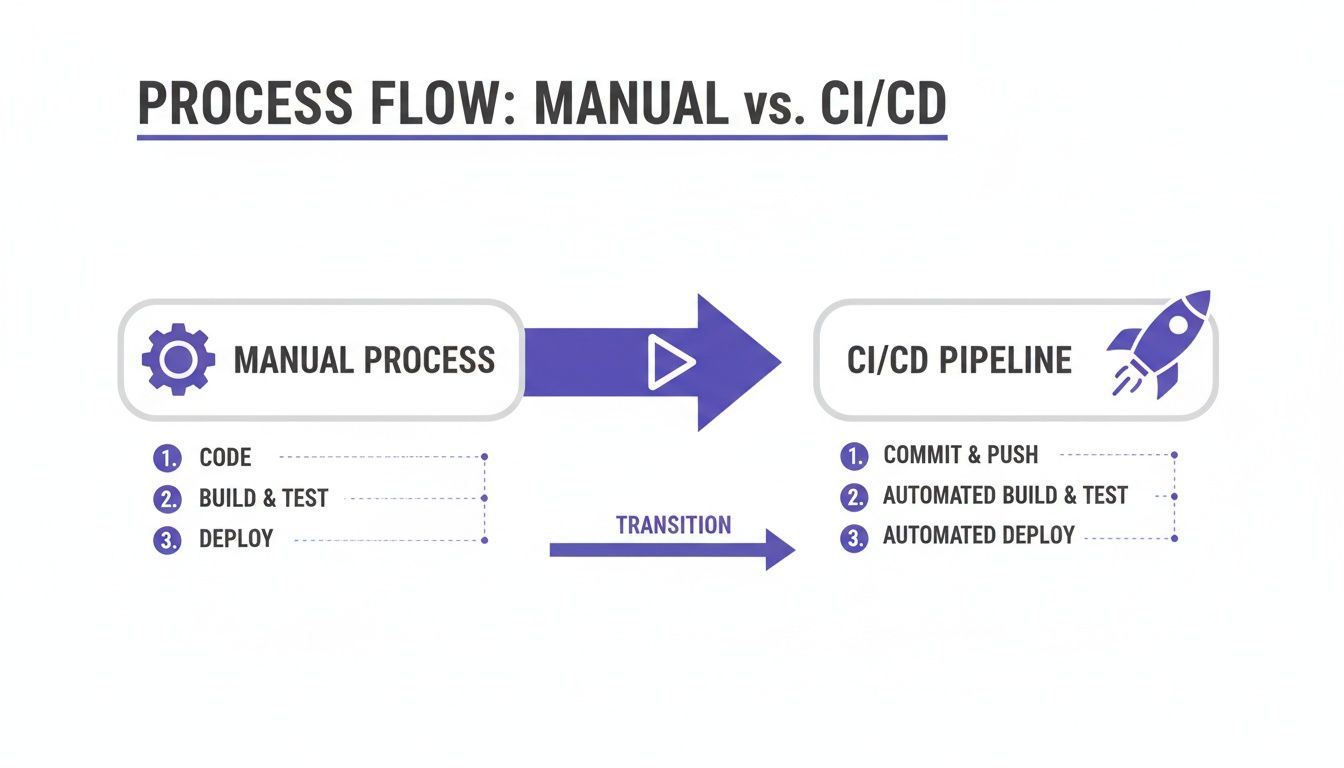
As you can see, CI/CD gets rid of those slow, error-prone manual handoffs and replaces them with a streamlined, almost instant delivery system.
Once the application is built, it moves into the Test Stage—arguably the most critical quality gate in the whole process. This is where a whole battery of automated tests is thrown at the new build to hunt for bugs, security holes, and performance issues.
These typically include:
Having solid automated testing is fundamental to trusting your releases. To dig deeper into this, it's worth understanding the core principles of quality assurance in software development. If even one test fails, the pipeline halts and alerts the team. Bad code goes no further.
A robust testing stage is the difference between deploying with confidence and deploying with your fingers crossed. It systematically catches issues that human reviewers might miss, ensuring consistency and quality at scale.
Finally, if the code passes every single test, it reaches the Deploy Stage. This is the finish line. The validated code is automatically pushed out to a production or staging environment where users can access it. This final handoff completes the journey from an idea to a live feature, often without a human ever touching it.
This level of automation is why the CI tools market is expected to grow at a 10.6% CAGR. High-performing teams with mature CI/CD pipelines can hit a 99% success rate on their production deployments, a massive leap from the 60% often seen with manual processes. If you're interested in where this is all heading, you can read the full research on CI/CD pipeline futures.
Putting a solid CI/CD pipeline in place is far more than just a tech upgrade—it's a smart business move that directly boosts your bottom line. When you automate the path from code to customer, you gain some serious advantages that help you build better products, scale faster, and outmaneuver the competition.
The most immediate win is accelerated development cycles. Forget those big, nerve-wracking quarterly deployments. With CI/CD, your team can push small, manageable updates every day, or even several times a day. This lets you get new features to your users faster, react to feedback almost instantly, and stay one step ahead of the market.
Shipping code in smaller chunks is inherently less risky. When an update only includes a handful of changes, finding the source of a bug becomes exponentially easier. The result? Higher-quality code and a much more stable application for your users.
The industry data backs this up. High-performing teams that embrace CI/CD deploy on-demand, multiple times a day, and see 46% lower change failure rates than their slower counterparts. When things do go wrong, top teams recover an astonishing 2,604 times faster, which is a massive advantage when it comes to keeping users happy and services online.
A well-architected CI/CD pipeline transforms your release process from a source of anxiety into a competitive advantage. It builds a foundation of speed, quality, and reliability that allows your business to innovate with confidence.
Automation also works wonders for your team's morale and focus. Taking repetitive manual chores like building, testing, and deploying off your engineers' plates frees them up from mind-numbing work. It lets them get back to doing what they were hired for: solving tough problems and creating real value.
This isn't just about getting more done. It's about fostering innovation. When developers aren't stuck in the muck of manual deployment processes, they have the creative energy to experiment, improve existing code, and build the next big thing.
To get the most out of your setup, it’s worth exploring different CI/CD Pipeline Optimization strategies. And of course, you can't improve what you don't measure. Tracking the right KPIs for software development is crucial for seeing how these improvements translate into real-world success. Whether you're a startup launching an MVP or a large enterprise scaling up, a CI/CD pipeline is the engine that drives sustainable growth.
A CI/CD pipeline is just an abstract idea until you see the technology that actually brings it to life. Think of it like a physical assembly line—you need specific machinery at each station to get the job done. In the same way, your automated software pipeline relies on a stack of specialized tools all working in harmony.
At the heart of the whole operation is the "brain," which is the CI Server (or automation server). This is the central hub that’s constantly watching for new code commits. When it sees one, it kicks off the entire sequence of building, testing, and deploying your application. It's the engine that makes the assembly line run.
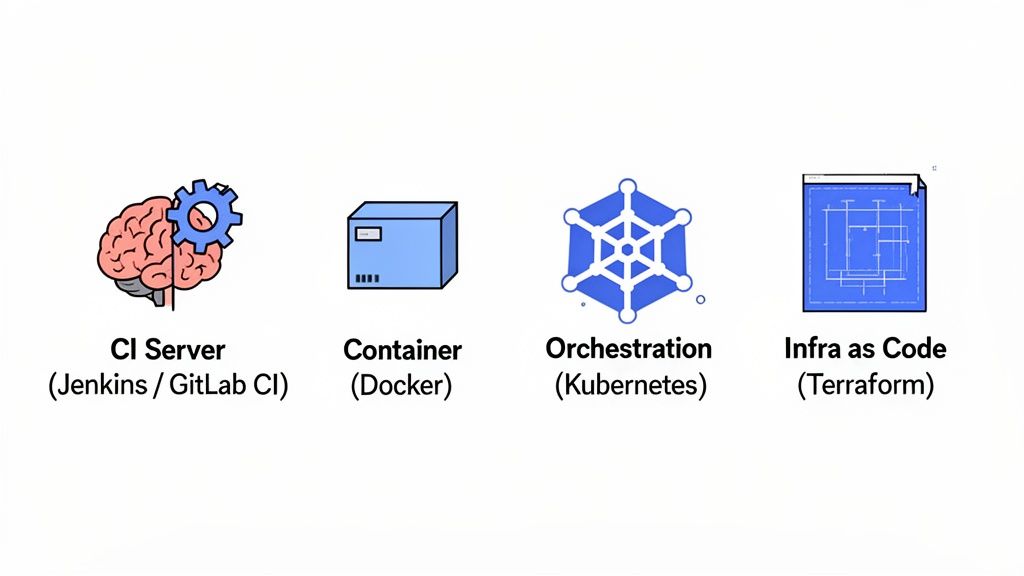
To build a pipeline that's truly solid, you need a few key types of tools. Each one has a very specific job, and together they ensure your software gets built and deployed the exact same way, every single time.
Choosing the right automation server is a critical first step, as it will be the core of your pipeline. Here’s a quick look at some of the most common options to help you understand where each one shines.
| Tool | Best For | Key Feature | Hosting Model |
|---|---|---|---|
| Jenkins | Ultimate flexibility and customization with a vast plugin ecosystem. | Highly extensible and open-source, giving you total control. | Self-hosted |
| GitLab CI/CD | Teams looking for a fully integrated, all-in-one DevOps platform. | Seamlessly built into the GitLab source code management platform. | Self-hosted & SaaS |
| CircleCI | Cloud-native teams that need speed and simple configuration. | Fast performance and a simple YAML-based configuration. | SaaS |
| GitHub Actions | Projects hosted on GitHub that need tightly integrated automation. | Native integration with GitHub repositories, events, and ecosystem. | SaaS |
While this isn't an exhaustive list, it covers the heavy hitters. Your choice often comes down to your existing tech stack, your team's expertise, and whether you prefer to manage the infrastructure yourself or use a cloud-based service.
So, how do all these pieces actually connect? Let's walk through a typical workflow.
A developer pushes a new code commit to the repository. The CI server, let's say it's Jenkins, immediately detects this change. It pulls the code and uses Docker to build the application into a fresh container image.
A well-integrated toolchain is the foundation of a reliable CI/CD pipeline. Each tool handles a specific part of the process, but their seamless interaction is what creates a powerful, end-to-end automation engine.
Once the container is ready, Jenkins runs a battery of automated tests against it. If everything passes, the pipeline proceeds. Jenkins then tells an orchestrator like Kubernetes to deploy the new, validated container into the production environment. Just like that, the new feature is live for users.
This whole dance happens automatically, often in just a matter of minutes. By combining these tools, you get the speed, consistency, and safety net needed to keep up with the demands of modern software development.
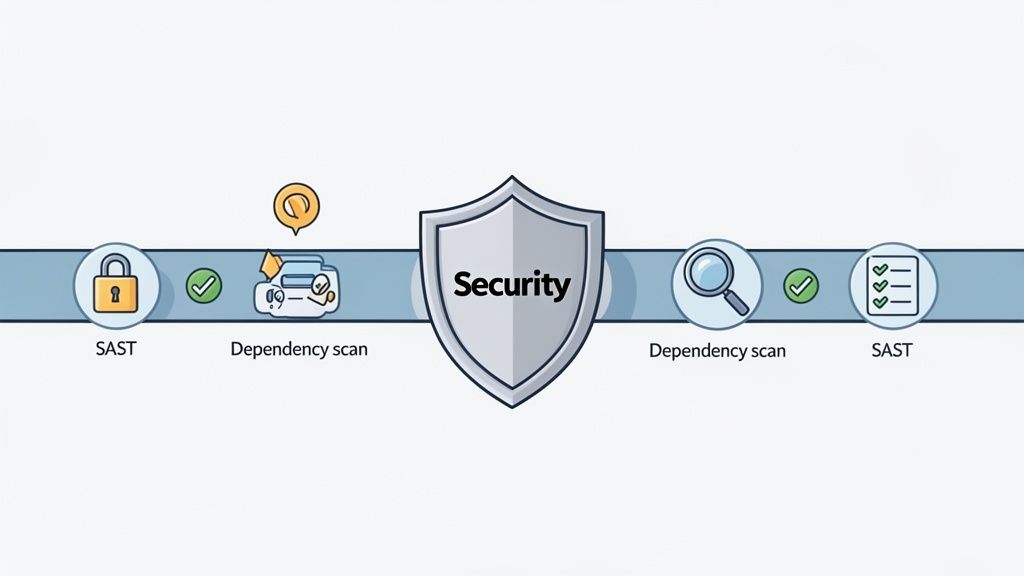
One of the biggest wins from a CI/CD pipeline is speed, but speed without security is a disaster waiting to happen. This is exactly where DevSecOps steps in. Think of it as weaving security into the very fabric of your development process, rather than tacking it on as a frantic, last-minute check.
The whole philosophy hinges on a concept called "shifting left." All this means is moving security checks as early as possible in the development cycle. It’s a game-changer. Fixing a vulnerability when the code is fresh in a developer's mind is exponentially cheaper and faster than trying to patch it after it’s already live.
Traditionally, a separate security team would perform a manual review right before a release, often creating a bottleneck. DevSecOps flips that model on its head by building automated security tools directly into the CI/CD pipeline. These tools are like automated guards, inspecting every change as it moves through the system.
With this approach, security becomes everyone's job, not just the security team's problem.
Here are a few essential practices:
DevSecOps isn't about throwing more obstacles in front of developers. It's about giving them immediate, automated feedback on security. It changes security from being a gatekeeper to a helpful partner in building great software.
This continuous, automated security model gives leadership a real-time view of their security posture. It proves you don't have to sacrifice speed for safety; a well-built CI/CD pipeline allows you to have both.
If you’re building for mobile, incorporating mobile app security best practices will make your DevSecOps strategy even stronger. By baking these practices into your workflow, your pipeline doesn’t just ship features faster—it systematically reduces risk with every single commit.
Jumping into CI/CD can feel overwhelming. The secret is to think small. Don't try to boil the ocean by automating every single process on day one. Instead, build a simple roadmap that gives you clear, incremental wins and builds momentum.
The best place to start is by finding the biggest bottleneck in your current workflow. Is manual testing a constant drag on your release schedule? Are you fighting broken builds every time code gets merged? Your first automation target should be whatever is causing the most pain. Solving a real, tangible problem is the quickest way to get your whole team on board.
Once you know what you want to fix, you can map out the practical steps. The mantra here is "progress, not perfection." Your first pipeline doesn't have to be a sophisticated, end-to-end automation machine.
Here’s a simple game plan to get you started:
Choose the Right Tools: Pick tools that match your team's skills and your budget. If everyone on your team already uses GitLab, then GitLab CI is a no-brainer. If you need something with endless customization options, a classic like Jenkins could be the right call.
Start Small: Begin by automating just two things: the build and test stages. This is often the most impactful first step you can take. Just having a system that automatically builds the code and runs unit tests after every single commit will stop a huge number of bugs from ever making it into the main branch.
Get Team Buy-In: New tools are easy; changing how people work is hard. You have to sell the "why" behind this shift. Show your developers how this new process will free them from tedious manual work and let them ship features faster. This cultural change is just as important as the technology itself.
The most successful CI/CD adoptions almost always start by nailing one or two high-impact automations. When you prove the value with a small, successful project, you build the confidence and support you need to expand automation across your entire workflow.
This foundational work is typically handled by specialized engineers. Getting familiar with the core DevOps engineer roles and responsibilities can help you figure out who on your team should spearhead this effort, or if it makes sense to bring in an expert. By focusing on these initial steps, you'll lay a rock-solid foundation for a CI/CD pipeline that can grow with you.
Let's tackle some of the most common questions that pop up when teams start exploring the world of CI/CD.
This is a great question, and the answer boils down to one simple thing: a single, manual step. Think of it like a gatekeeper.
Continuous Delivery: Imagine everything is packed, tested, and ready to ship. The truck is loaded and waiting at the gate, but someone—a project manager, a QA lead, whoever—has to manually give the final "okay" to open the gate and let the truck leave for production.
Continuous Deployment: Now, imagine that gate is fully automated. If the package passes every single security scan and quality check, the gate opens automatically, and the truck heads out to production. No human intervention needed.
Both are fantastic, but continuous deployment represents the ultimate hands-off automation.
Not at all. In fact, it’s one of the smartest moves a startup can make.
For a small team, a CI/CD pipeline is like having an extra, incredibly reliable engineer on staff. It lets you punch way above your weight class by shipping features faster, responding to customer feedback in hours instead of weeks, and building a rock-solid product from the get-go. It’s the foundation for scaling without chaos.
The biggest challenges when implementing CI/CD are often cultural, not technical. Getting team buy-in and shifting from a "release day" mindset to a continuous flow of small changes is the most critical hurdle to overcome for long-term success.
Hiring an engineer is about more than matching keywords on a résumé to a job description. The real challenge is identifying an individual who not only possesses technical skill but can also solve ambiguous problems, design robust systems, and communicate effectively within a team. How do you uncover that genuine capability in a brief interview? […]

Software engineering project management is all about steering a software project from a great idea to a finished product. It’s the practical art of guiding developers, defining features, and wrangling technology to get things done on time and on budget. The Art of Building Digital Products Think of a software project manager like a film […]

Developer productivity isn't just about coding faster; it's about eliminating friction across the entire software development lifecycle. From the first line of code to the final deployment, small inefficiencies compound into major delays, frustrated engineers, and missed deadlines. The right developer productivity tools act as a force multiplier, automating tedious tasks, streamlining collaboration, and allowing […]


